



Weekly Operations Review — KPI Scorecard, Action Tracker & Printable Review Pack
Operations Review & KPI OS
Turn KPI results into a clear weekly or monthly review, with explanations and follow-up owners in one workbook.
Enter your own measures, targets and actuals. Review variance and status, explain exceptions, assign owners and due dates, then prepare a printable review pack.
R1 · one-time purchase · no recurring subscription
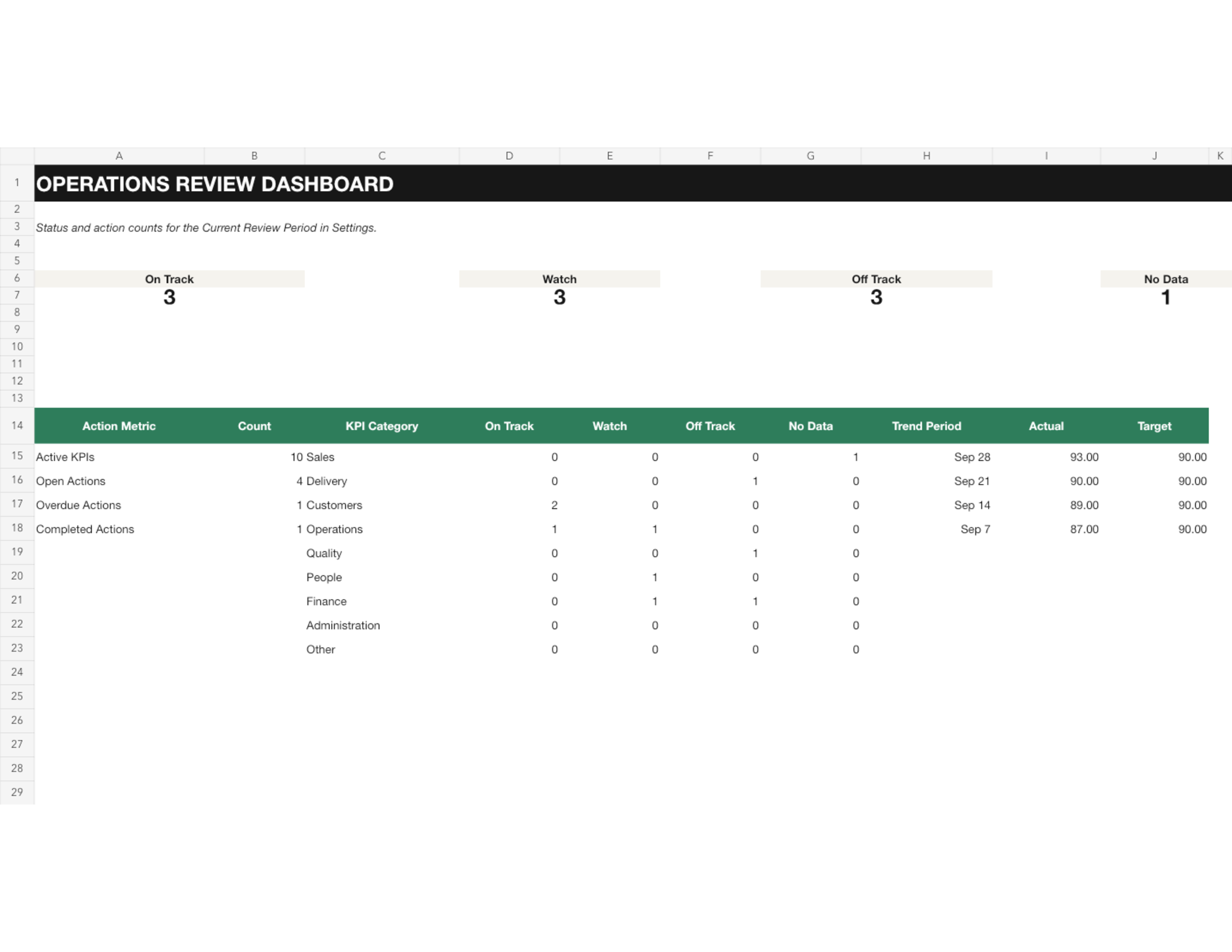
From KPI measures to owned follow-up.
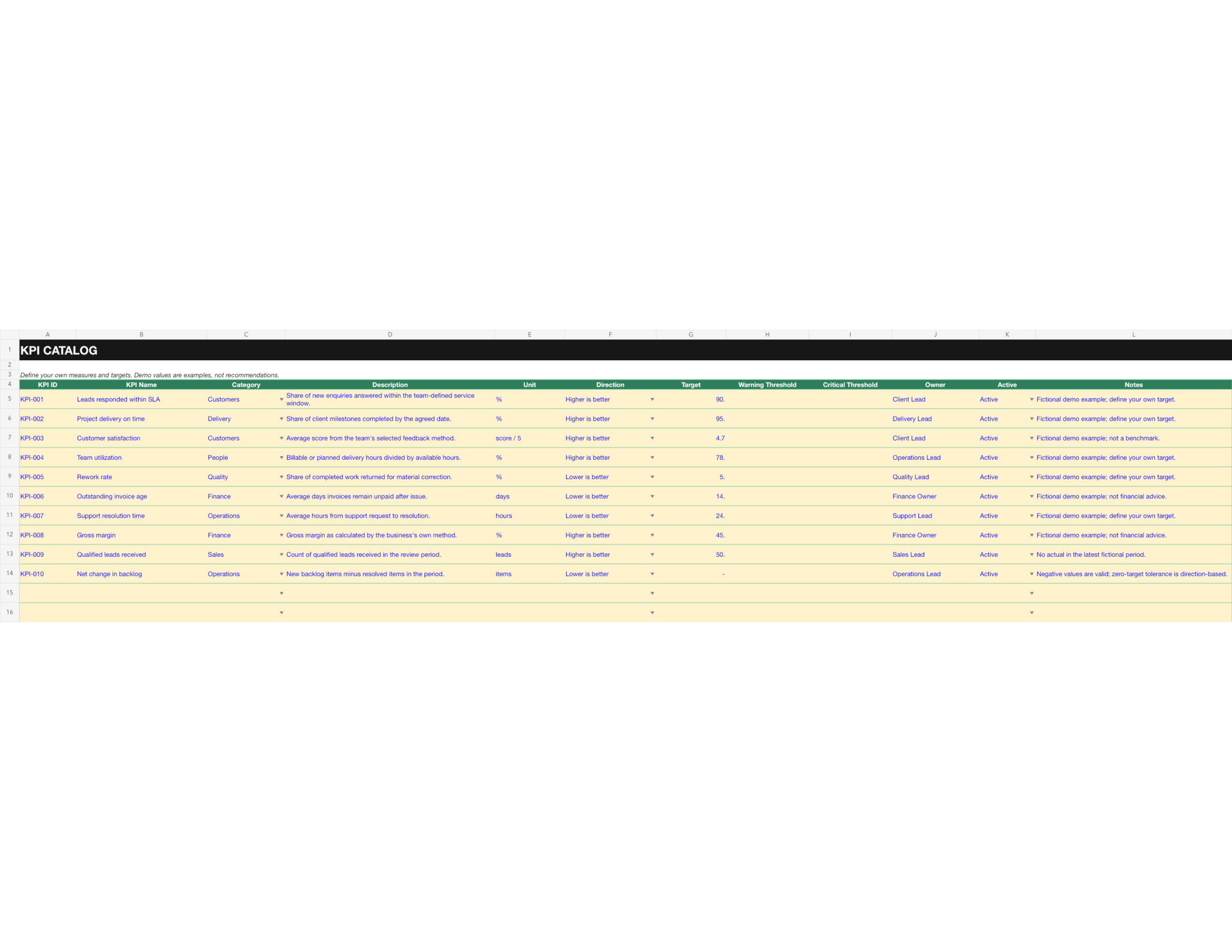
These previews show the dashboard, period log, action register, printable review and KPI catalog from the workbook.
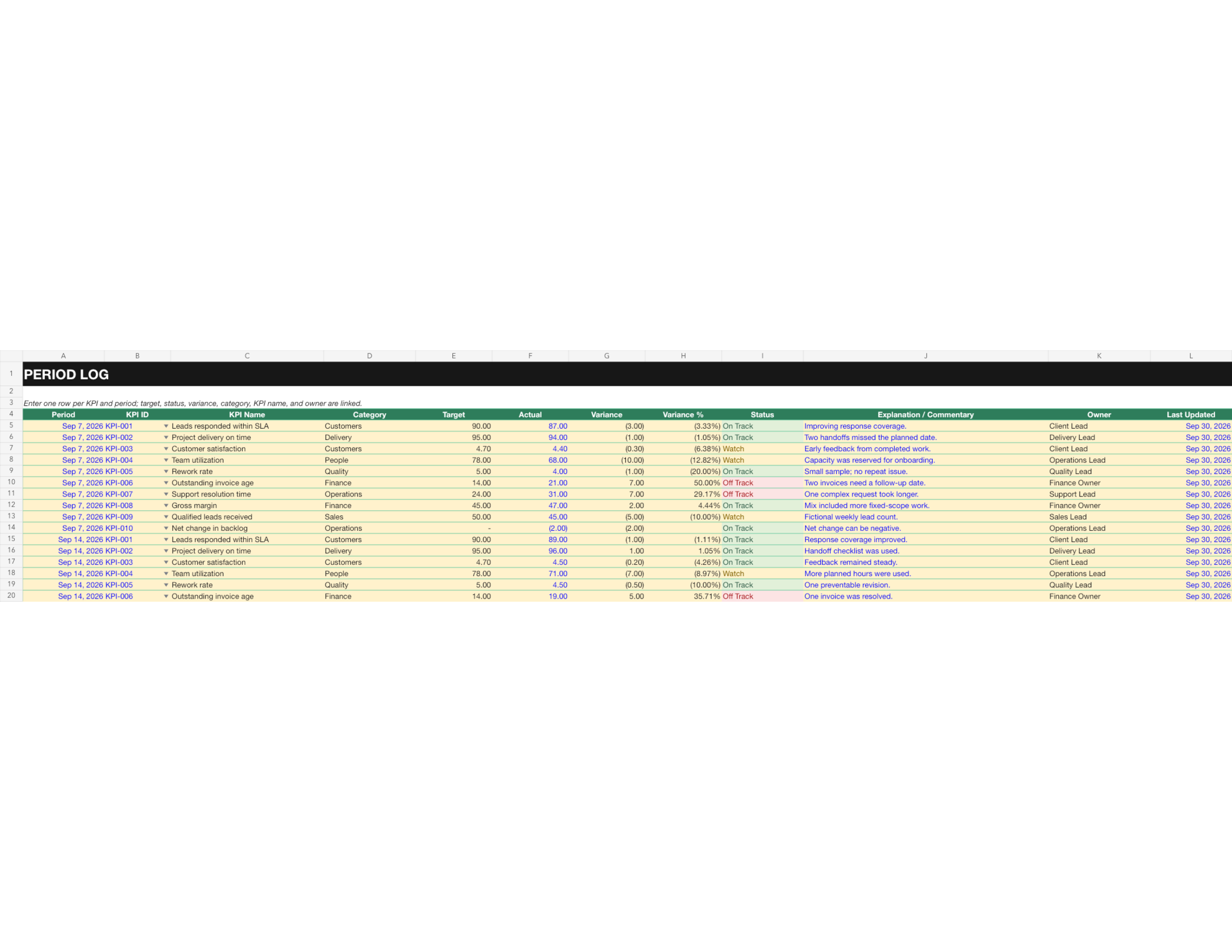
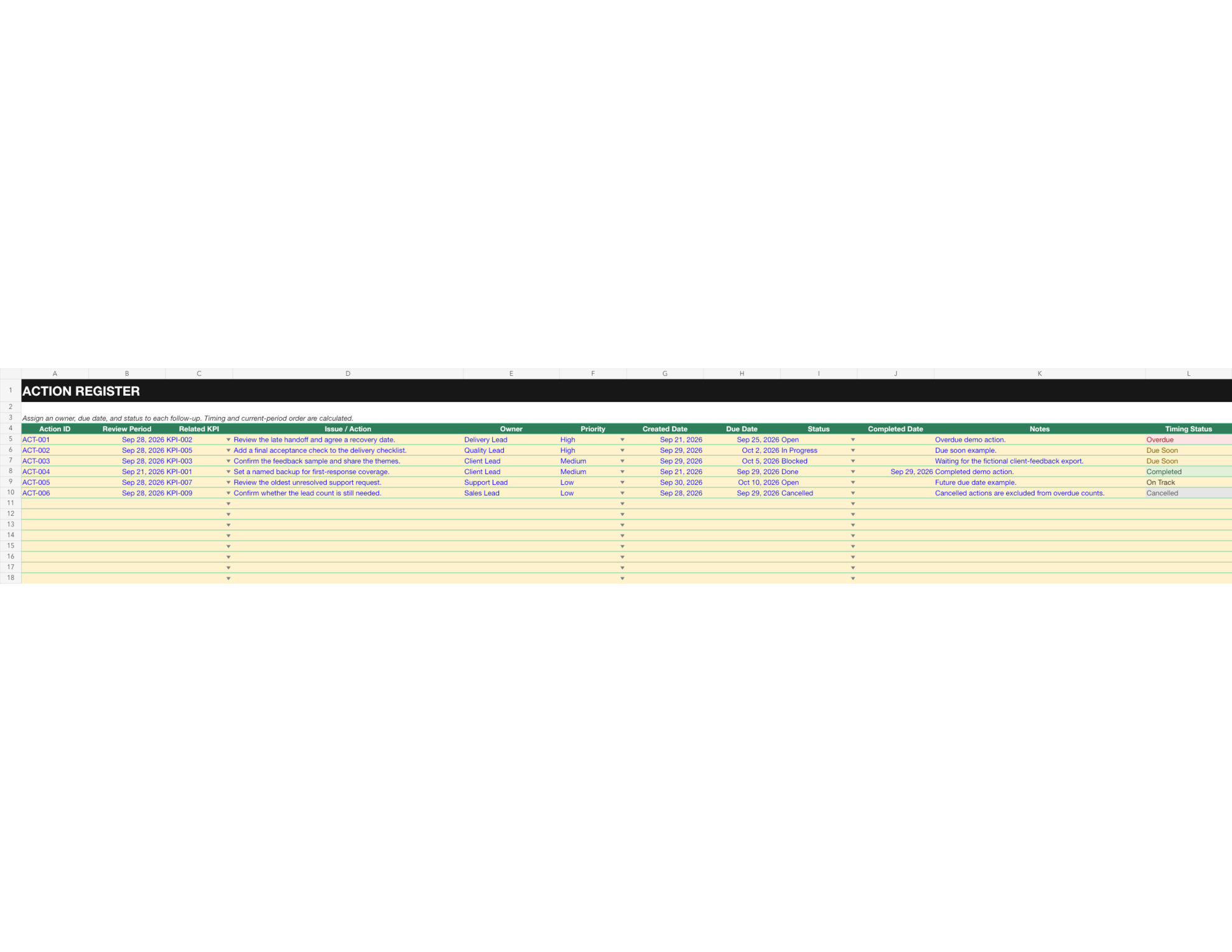
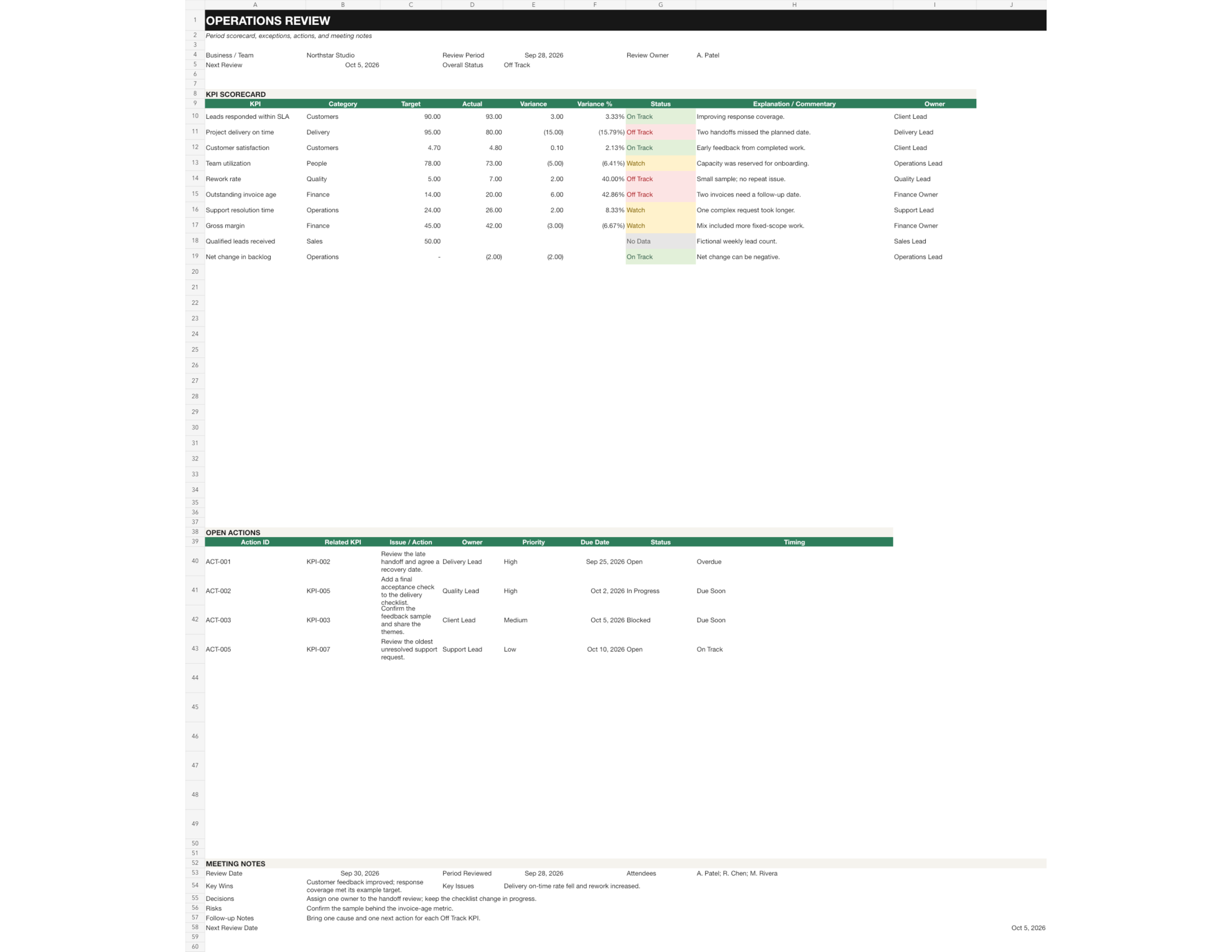
Move from numbers to next steps.
Define your KPIs
Set up a KPI catalog with the direction and targets you choose for your own operation.
Review the variance
Compare actuals with targets, review variance and variance percentage, and use Higher is better or Lower is better directions with On Track, Watch, Off Track or No Data status labels.
Explain exceptions
Add period notes so the review records context behind a result.
Assign follow-up
Record each Action Register item, set an Action Owner and Due Date, then review Overdue Actions.
Run weekly or monthly
Choose a review cadence and record results by period in the same workbook.
Print a review pack
Use the dashboard, meeting notes and printable review to prepare a consistent discussion.
A manually maintained KPI review workbook.
Operations Review & KPI OS is an Excel workbook for weekly or monthly reviews. It tracks user-defined KPI targets, actuals, variance, status and commentary, plus action owners, due dates and meeting notes. Buyers define their KPIs and targets. Data entry is manual; it does not sync with other services.
Measure, explain, assign, review.
Define KPIs and targets
Enter each period’s actual results
Review status and variance
Explain exceptions in meeting notes
Assign an action, owner and due date
Review progress in the next period
Print or share the review pack
Three files to get started.
Operations-Review-KPI-OS.xlsx
Blank workbook · Enter your own KPIs, targets, results and actions.
Operations-Review-KPI-OS-DEMO.xlsx
Demo workbook · A separate workbook with fictional example values.
Operations-Review-KPI-OS-Quick-Start.pdf
Quick Start Guide · Setup notes and a guided review workflow.
START HERE · SETTINGS · KPI CATALOG · PERIOD LOG · ACTION REGISTER · MEETING NOTES · DASHBOARD · PRINTABLE REVIEW
Know what it needs and what it does.
- File format
- Excel workbook in .xlsx format.
- Spreadsheet app
- Microsoft Excel or a compatible spreadsheet application that supports standard formulas and data validation.
- Data entry
- Enter KPI definitions, targets, period actuals, explanations, action owners and dates manually.
- Purchase terms
- US$24.99 one-time purchase. No recurring subscription.
You choose the measures, targets, warning tolerances, categories and review cadence. Demo values are fictional examples, not recommended targets. This workbook does not provide benchmarks, consulting, financial advice or automatic data sync.
A few useful answers.
Does the workbook choose my KPIs or targets?
No. You choose the measures and targets that fit your team. The included values are fictional examples only.
Can I use it monthly instead of weekly?
Yes. Set Review Frequency to Monthly and enter the first date for each period in Period Log.
Does it connect to my business systems?
No. You enter data manually; the workbook does not connect to external services or sync automatically.
What happens when a KPI target is zero?
Variance percentage is left blank because division by zero is not meaningful. Any result moving in the wrong direction is Off Track.
Questions before you start?
Plain Method support can help with product questions and Payhip download access.
Contact support Visit the Plain Method Payhip storeMake the next review clear and actionable.
Get Operations Review & KPI OS · US$24.99