



Rental Business Operations OS — Excel Booking, Inventory & Deposit Tracker
Rental Business Operations Tracker
Keep rental bookings, pooled inventory, deposits, returns and maintenance in one practical workbook.
Record a booking header with separate SKU item lines, review inclusive-date capacity warnings, and keep rental charges, manually entered payments and refundable deposits distinct.
R1 · one-time purchase · No recurring subscription.
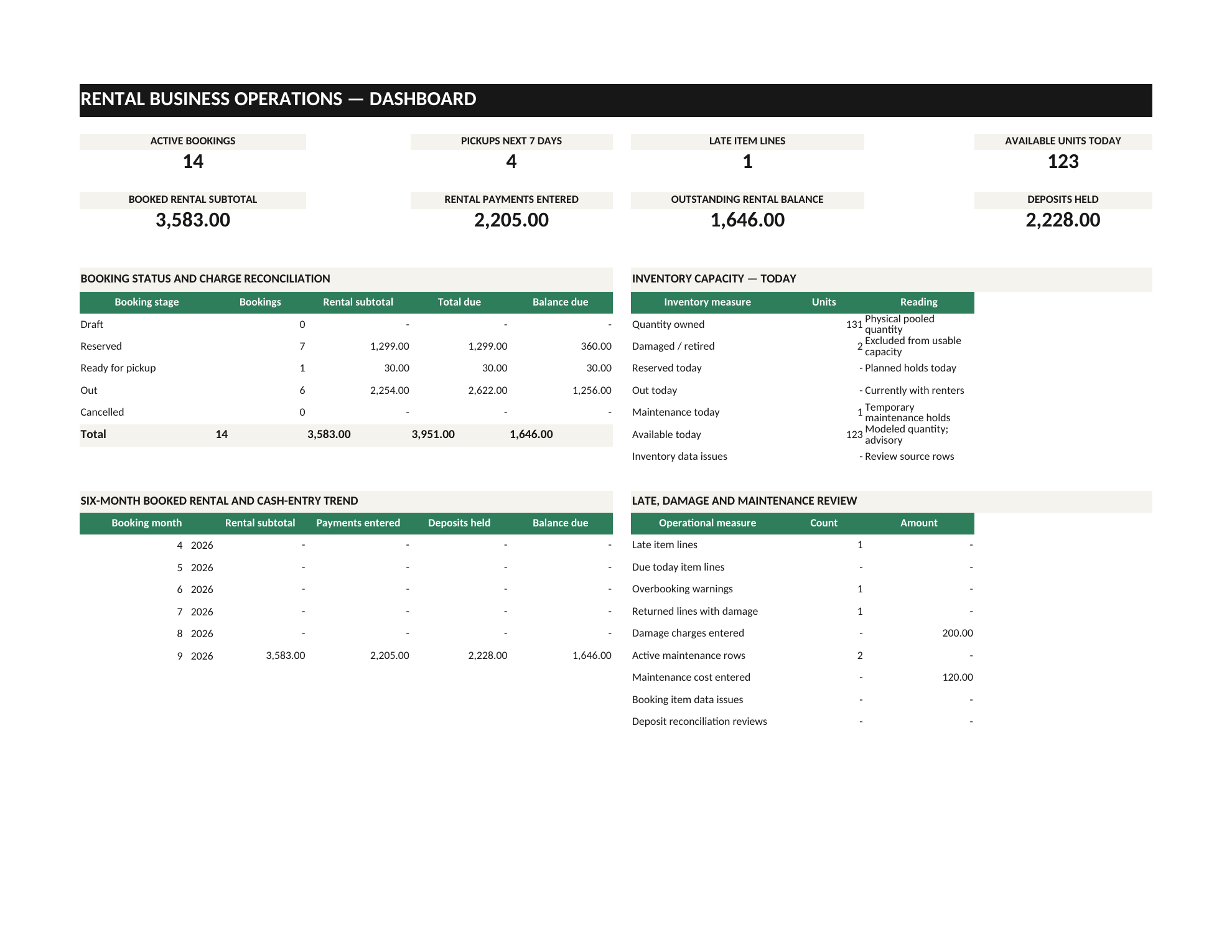
Bookings, inventory and the work around them.
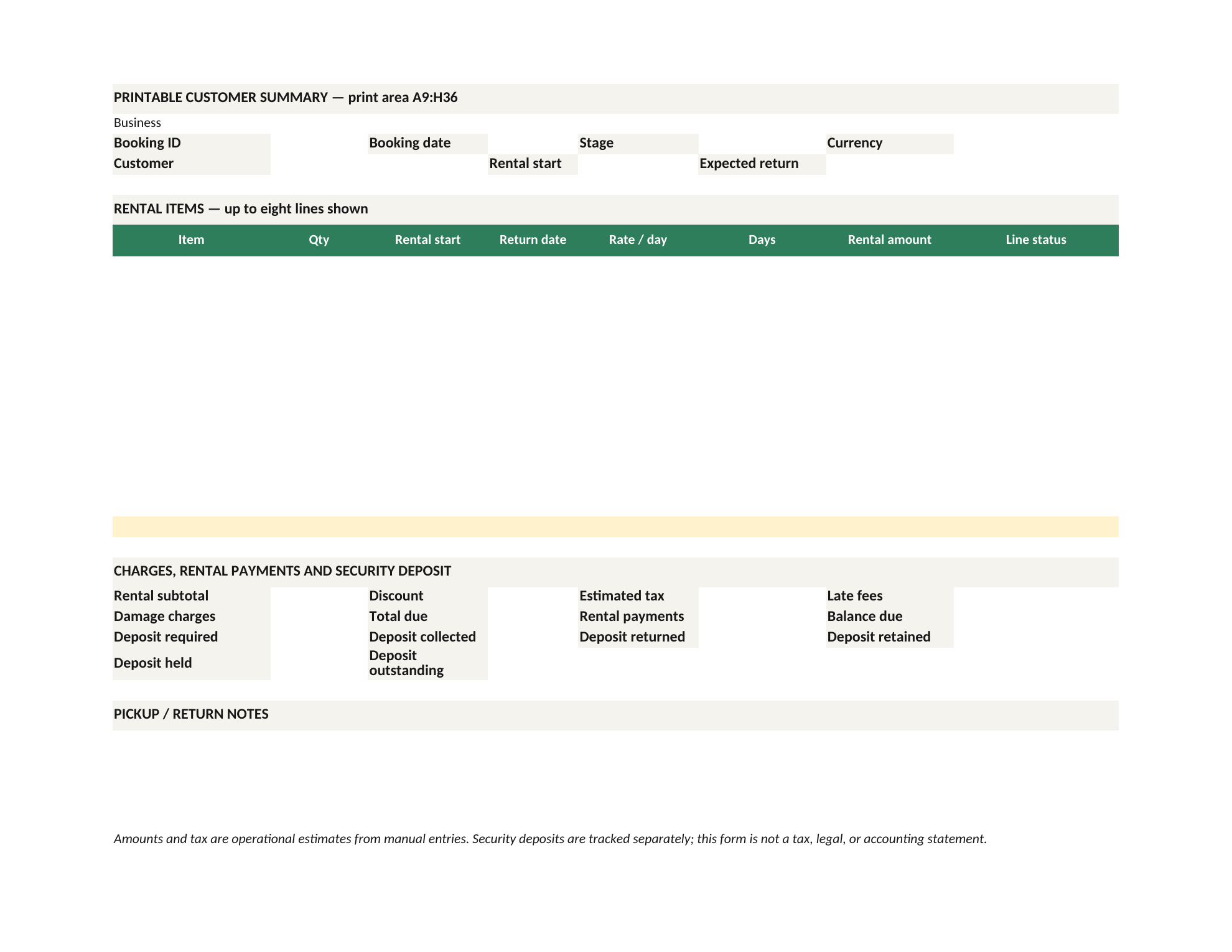
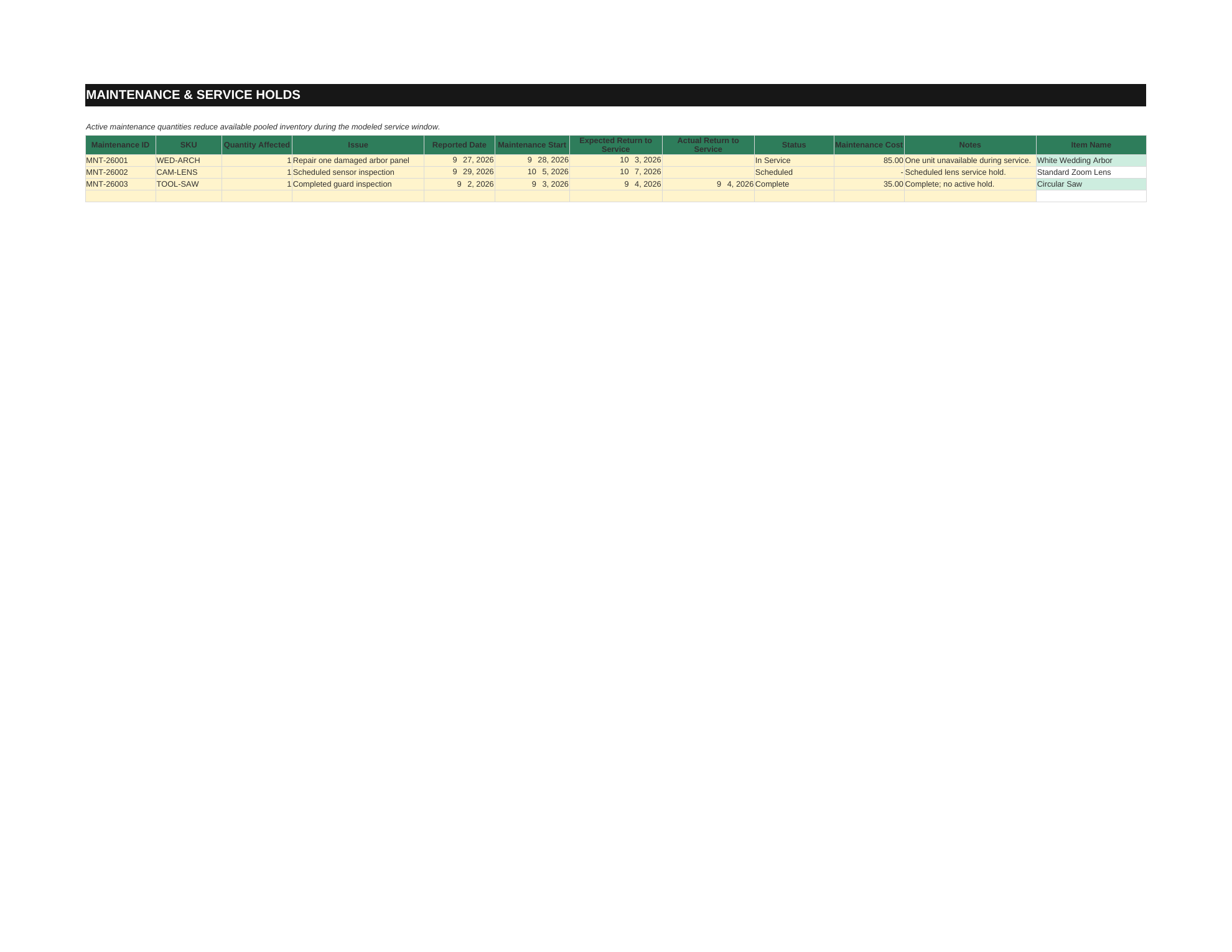
These previews are from the workbook and show its dashboard, pooled inventory, bookings, booking form and maintenance log.
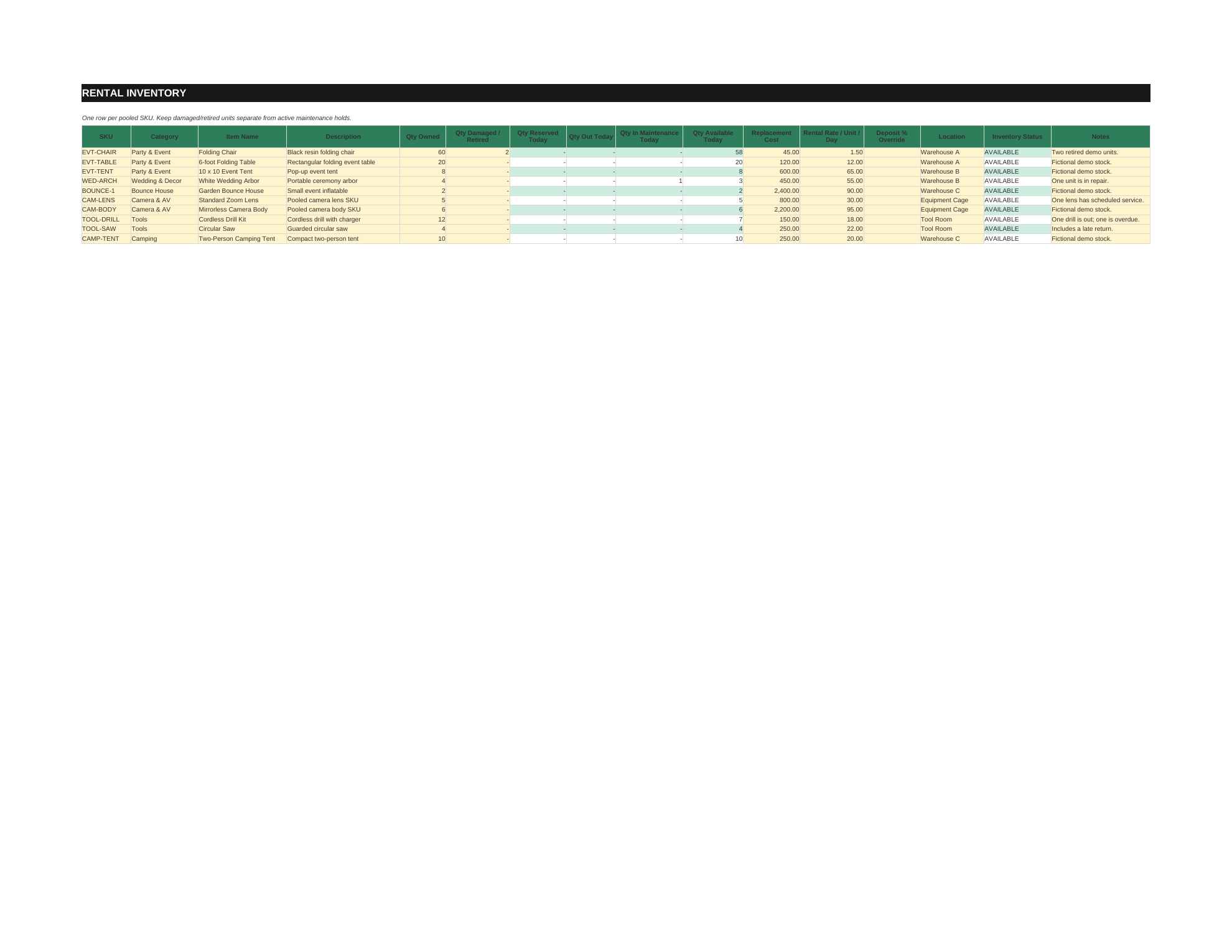
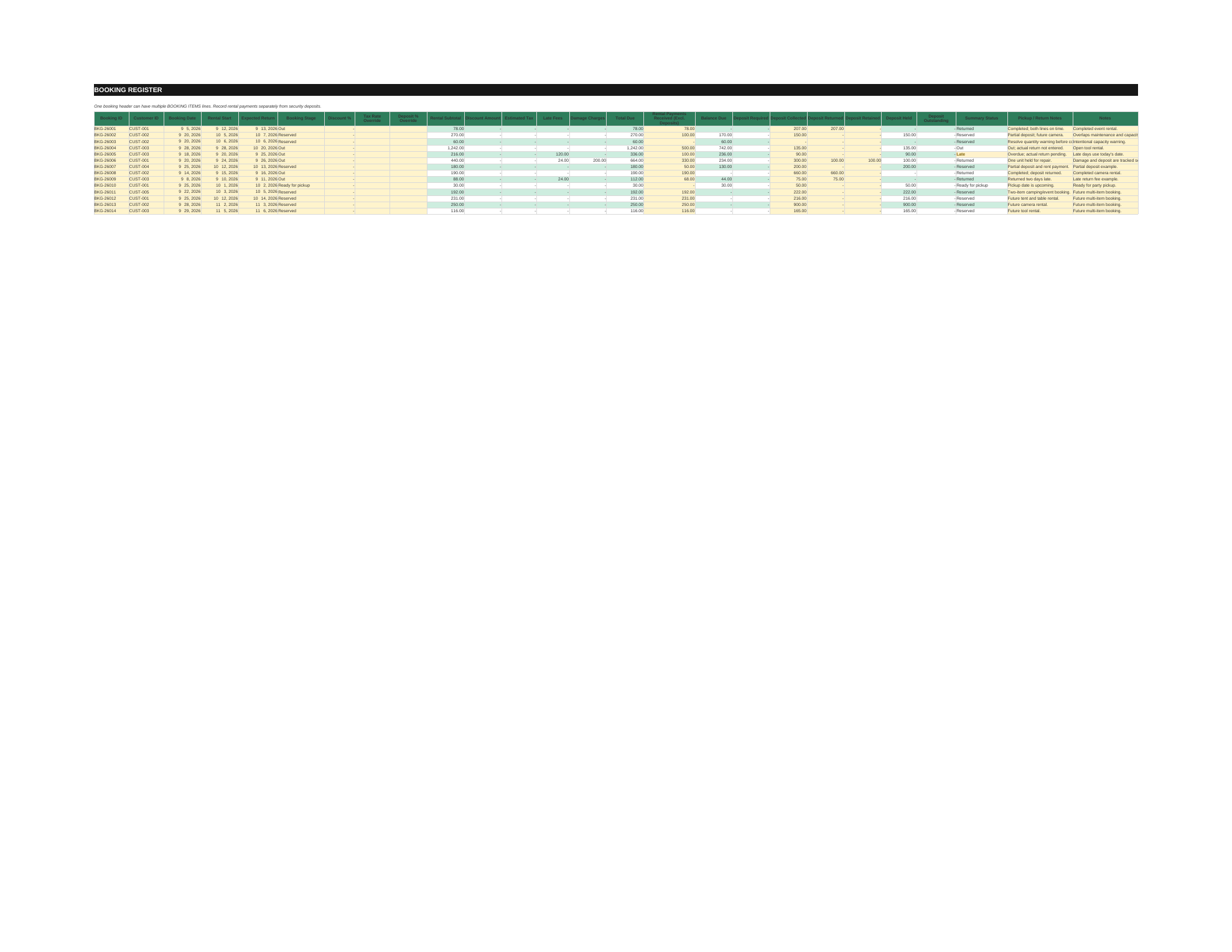
Keep the moving parts in view.
Track pooled inventory
Record owned quantities by SKU and keep damaged or retired stock distinct from temporary maintenance holds.
Review booking overlaps
Use inclusive calendar dates and period-specific capacity warnings based on the records you maintain. These warnings help flag availability conflicts.
Keep deposits separate
Review rental charges, manually entered rental payments and refundable deposit balances as distinct amounts.
Record returns and damage
Enter full-line returns, condition, damage notes, late fees and manually entered charges.
Plan maintenance windows
Record service dates so maintenance holds are visible alongside booking and inventory information.
Use a printable booking summary
Review the customer-facing booking check and printable summary from the workbook.
For small goods and equipment hire.
Rental Business Operations Tracker is a manually maintained Excel workbook for small party, event, camera, tool, camping and equipment-rental businesses. It organizes pooled SKU inventory and booking item lines, then helps you review date-based capacity warnings, deposits, returns and maintenance. It is not a live reservation service and does not process payments.
From stock check to return.
Enter your inventory and rental rates
Record a booking and its SKU item lines
Review inclusive-date capacity warnings
Enter charges, payments and deposits separately
Record returns, condition, damage or late fees
Track maintenance windows
Review the dashboard and print the booking summary
Three files to get started.
Rental-Business-Operations-OS.xlsx
Blank workbook · Enter and maintain your own rental records.
Rental-Business-Operations-OS-DEMO.xlsx
Demo workbook · A separate set of fictional example records.
Rental-Business-Operations-OS-Quick-Start.pdf
Quick Start Guide · Setup notes and a guided workbook workflow.
For goods and equipment that go out and come back.
- Party rental
- Wedding and event rental
- Tables and chairs
- Camera gear
- Tools
- Camping equipment
- Costumes
- Equipment hire
- Other small goods rentals
Know what it needs and what it does not do.
- File format
- Excel workbook in .xlsx format.
- Spreadsheet app
- Microsoft Excel 2019 or Microsoft 365, or a compatible spreadsheet engine supporting MAXIFS. Exact-final-workbook native Excel runtime acceptance is not claimed.
- How it is maintained
- Enter inventory, rates, booking, payment, return and maintenance information manually. It is a one-time US$24.99 purchase with no recurring subscription.
- Currency and tax
- USD, GBP, EUR, AUD and CAD are display labels; the workbook does not convert currencies. Tax is an operator-entered estimate, not jurisdiction-specific compliance.
Availability warnings use manually maintained records. They are not a transactional reservation lock or a guarantee against simultaneous edits. The workbook does not process payments, sync calendars, manage customer notifications, or provide tax, legal, insurance, accounting, or P&L compliance.
A few useful answers.
Is this for residential or landlord rent tracking?
No. It is for small goods and equipment rentals such as party, event, camera, tool, camping and similar hire businesses.
Does the workbook prevent every double booking?
No. It calculates period-specific capacity warnings from the booking and maintenance records you maintain. It does not create a live reservation lock or guarantee availability during simultaneous edits.
Are security deposits counted as rental revenue or payment?
No. Deposits are tracked separately from rental charges and rental payments, with returned, retained, held and outstanding amounts kept distinct.
Can I record partial returns?
Each booking-item line closes as a whole. Create separate lines when quantities will return on different dates.
Does it collect payments, send reminders, or sync a calendar?
No. Payment, return, maintenance and customer records are entered manually. Payment processing, reminders, calendar sync, CRM and API integrations are not included.
Does it calculate tax for my location or convert currencies?
No. Tax is an operator-entered estimate and currency is a display label; the workbook does not determine local tax treatment or convert currencies.
Questions before you start?
Plain Method support can help with product questions and Payhip download access.
Contact support Visit the Plain Method Payhip storeKeep bookings, stock and deposits in view.
Get Rental Business Operations OS · US$24.99