



Order ID ↔ Order Number
ORD-1001 ↔ ORD-1001Getting Started
Your first check,
with the evidence.
A short guide to the Mac workflow. Download the beginner sample and learn the steps while public release is being prepared.
Download beginner sample filesSynthetic files only. App download and purchase are not live.
Step 1
What Change Check does
Compare an incoming spreadsheet with a reference file and review changes before a handoff. Change Check helps you inspect; you decide what to trust.
Step 2
Source vs Next
Source is the older or reference file. Next is the newer file you want to check. Your originals are not overwritten.
Step 3
Choose files and sheets
Choose two CSV or XLSX files. For workbooks with several sheets, select the comparison sheet on each side.
Step 4
Choose the identifier
Choose values that identify the same record on both sides. Use Order ID, or a combination such as SKU + Variant. Review warnings about incompatible values.
Step 5
Run Preflight
Review your identifiers and comparison options, then run Preflight. Duplicate and blank identifiers remain visible for review.
Step 6
Read Changed, Missing and New
Changed shows different values on matched records. Missing is present only in Source; New is present only in Next. Also review Duplicate and Blank identifier categories.
Step 7
Inspect the evidence
Open a record to see the field, before and after values, and exact row references in both files.
Step 8
Search within the review
Search an identifier, column, key, or before/after value. Combine search with a category to focus your review.
Step 9
Export a report
Save a separate CSV or human-readable XLSX Review Report to keep the evidence with your handoff.
Step 10
Start a new check
When you finish, use Start new check to begin again with another pair of files.
How matching works
Same record. Different column names.
Column names can be different, but the values must identify the same records.
Order ID ↔ Product
ORD-1001 ↔ Coffee GrinderReady for a larger example?
Three cases. More context.
 01
01 Case 01
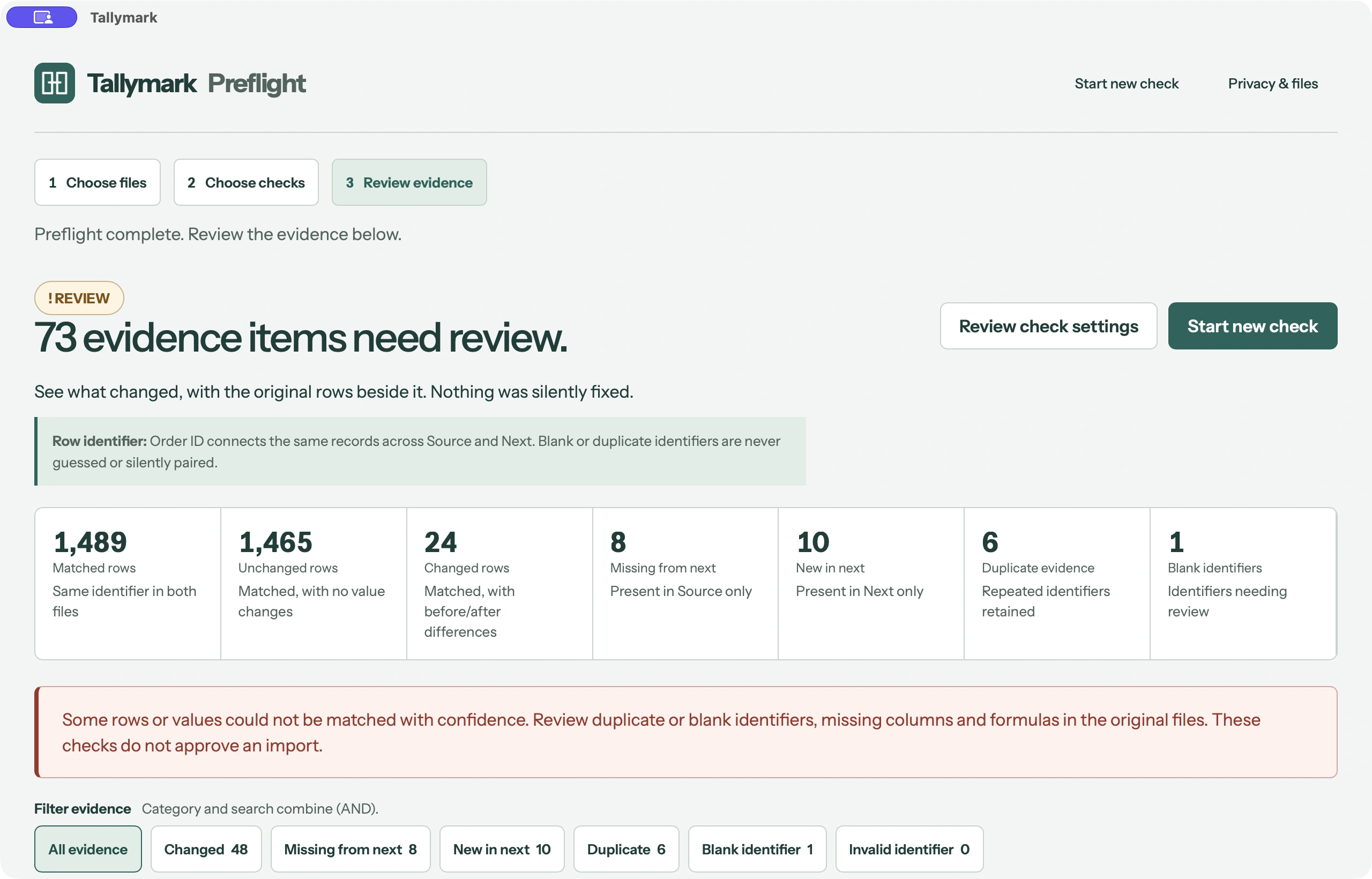
Order Import Preflight
Change Check compares two synthetic commerce exports before an import. The stable identifier is Order ID on the Orders sheet.
- Changed
- 24
- Missing
- 8
- New
- 10
- Duplicate evidence
- 6
- Blank identifier
- 1
 02
02 Case 02
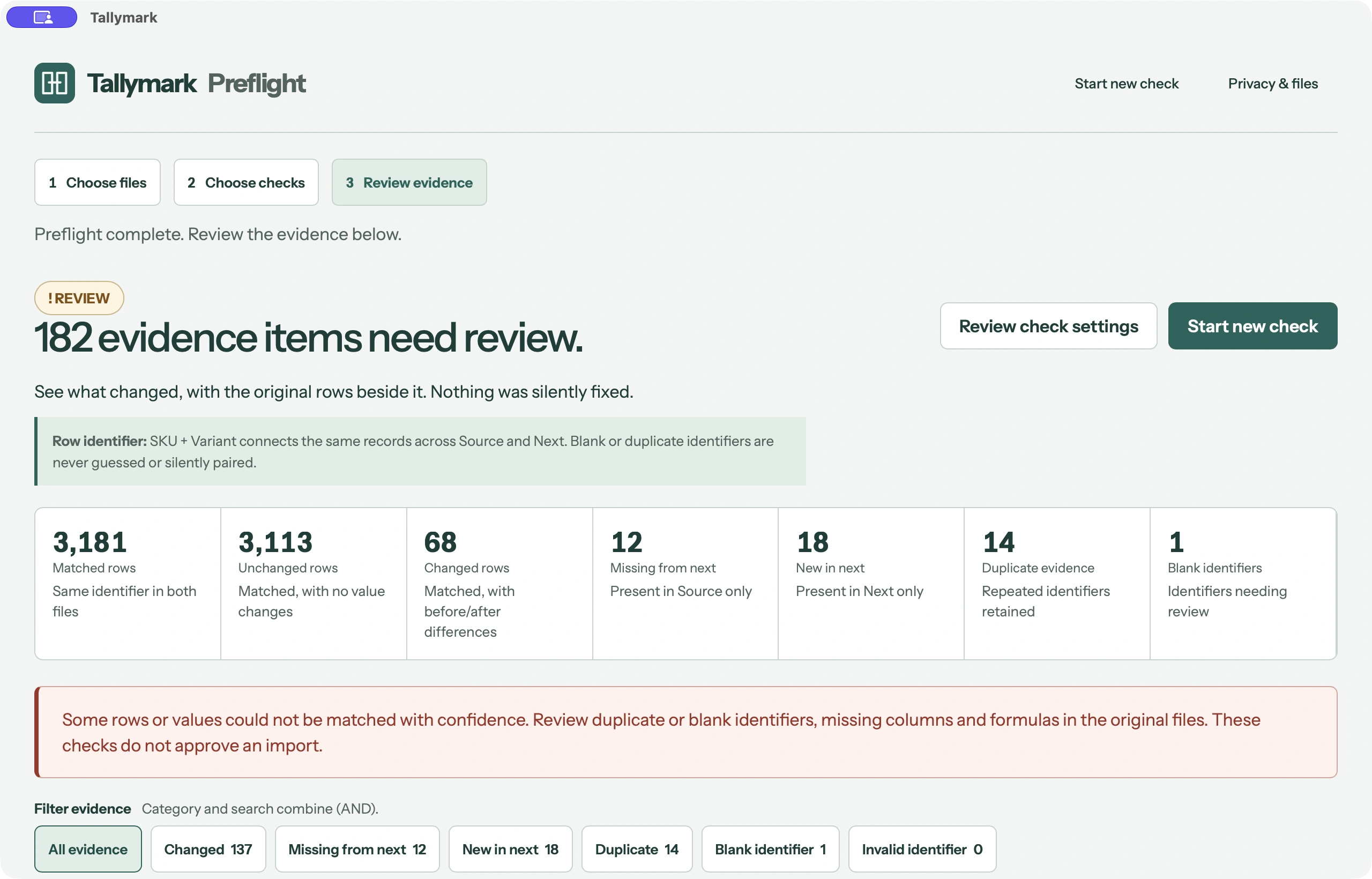
Supplier Catalog
Change Check compares a synthetic multilingual supplier catalogue using the composite identifier SKU + Variant on the Catalog sheet.
- Changed
- 68
- Missing
- 12
- New
- 18
- Duplicate evidence
- 14
- Blank identifier
- 1
 03
03 Case 03
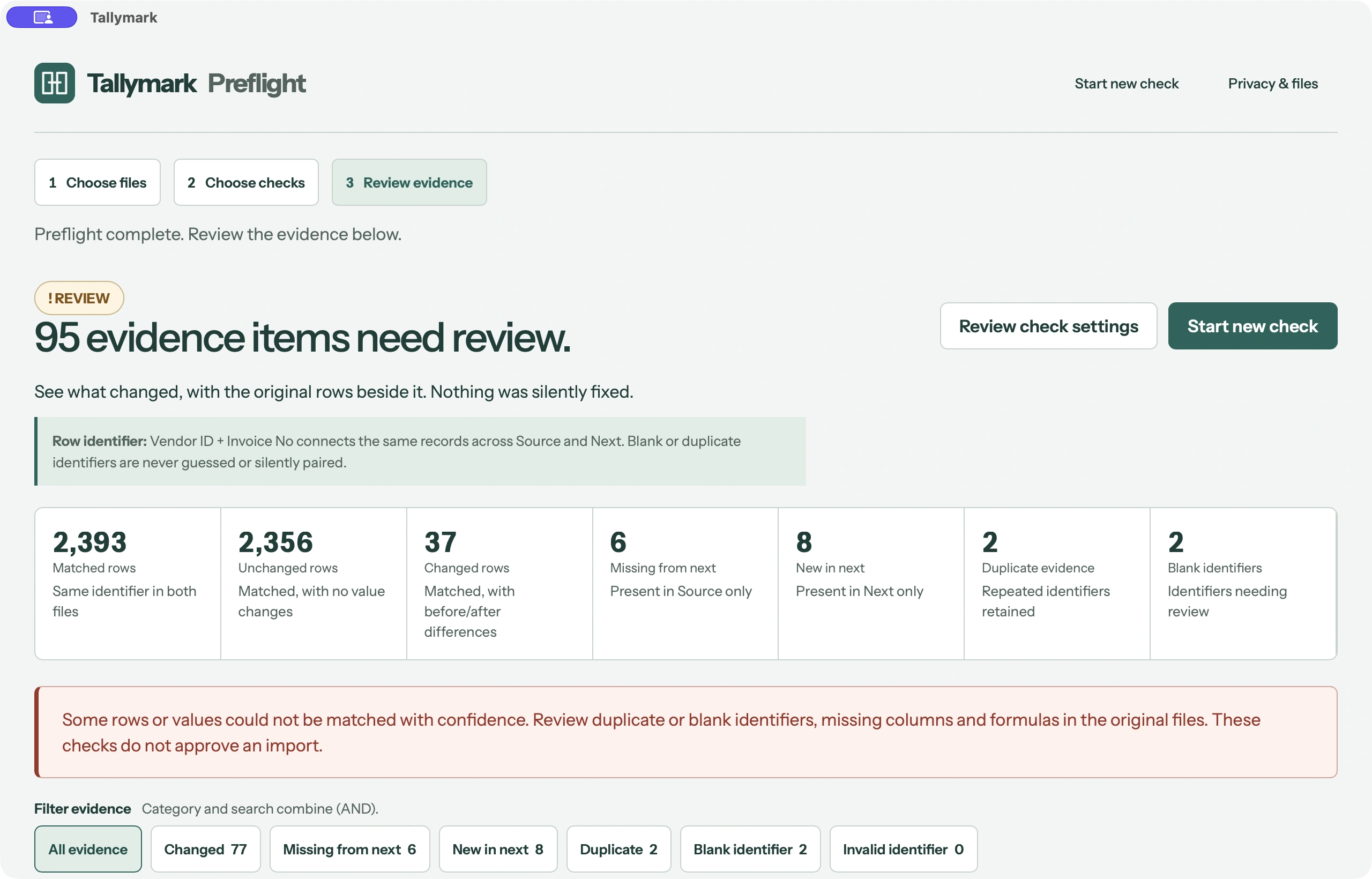
Invoice Register
Change Check compares a synthetic multi-sheet invoice register. The selected comparison sheet is Invoices, using Vendor ID + Invoice No as the composite identifier.
- Changed
- 37
- Missing
- 6
- New
- 8
- Duplicate evidence
- 2
- Blank identifier
- 2